Category: public

Pinco Casino online payments: compare Canadian options before you playPinco Casino online payments: compare Canadian options before you play


Choosing a payment method is an important part of comparing online casino options in Canada. Pinco Casino, described at https://pinco777.ca/ , supports deposits in Canadian dollars through Interac, debit or credit cards, and Skrill, but availability, processing times, and account requirements can differ by method. Before playing, review the cashier’s current terms, confirm that your chosen method is in your name, and understand any deposit or withdrawal limits. This guide explains how to compare the available options and consider payment security, verification, and budgeting before you make a deposit.

What to check before starting with Pinco Casino

Start by checking whether Pinco Casino is available to you and whether its terms match your location and circumstances. Online casino rules and payment access can vary across Canada, so confirm the relevant requirements rather than assuming every method works everywhere. Look at the cashier for the current deposit minimums, maximums, currencies, and any fees. A payment option that appears convenient may still have restrictions on withdrawals or require extra verification. Reading these details before creating a gaming routine can help you avoid delays and make a more informed choice.

Compare payment methods by considering more than how quickly a deposit appears. Think about how you will manage spending, whether the method supports withdrawals, and whether you can easily keep a record of transactions. Pinco Casino Canada offers casino games such as slots, blackjack, roulette, and live dealer tables, so it is sensible to settle your payment plan before moving between game types. Set a firm budget that you can afford to lose, and do not treat a payment method or casino game as a way to earn reliable income.

How to compare payment options and get started

A careful setup begins with the cashier’s terms and ends with a confirmed transaction. Use the steps below to check the essential details before you play. Processing estimates can change because of the payment provider, account checks, and other conditions, so rely on the information shown in your account rather than assuming a specific payout time.

  1. Review eligibility: Check that Pinco Casino accepts players in your location and read the current payment terms for Canadian accounts.
  2. Create your account: Enter accurate personal details and use your own payment account or card, as required by the casino’s rules.
  3. Complete verification: Submit requested identity or payment documents through the approved process before making assumptions about withdrawals.
  4. Compare the cashier options: Check Interac, debit or credit cards, and Skrill for currency, limits, fees, and withdrawal conditions.
  5. Deposit within your budget: Choose an amount you can afford to lose, confirm the transaction details, and keep a record of the deposit.
  • Canadian-dollar deposits can make it easier to track the amount paid in and avoid uncertainty about currency conversion.
  • Checking withdrawal rules alongside deposit rules helps prevent surprises later.
  • Using accurate account details can support smoother verification and payment processing.
  • A pre-set spending limit keeps casino play within a personal entertainment budget.

Practical payment details for Pinco Casino in Canada

Interac, cards, and Skrill each have different practical considerations. Interac may suit players who prefer a Canadian banking-based option, while a debit or credit card can be familiar for online transactions. Skrill is a digital wallet, which may offer a separate way to manage funds, subject to its own account rules and charges. Do not assume that a method available for deposits will also be available for withdrawals. Check the Pinco Casino cashier and the payment provider’s terms for transaction limits, processing estimates, fees, and any restrictions that apply to your account.

Before confirming a deposit, make sure the payment details and amount are correct. Consider whether your bank or wallet has its own transaction limits, international processing rules, or restrictions on gambling transactions. If a deposit is declined, avoid repeatedly submitting it without checking the cause; review the provider’s guidance or contact the appropriate support channel. Account verification may also affect access to withdrawals, so complete the requested checks and keep documents secure. These practical steps are more useful than relying on broad claims about fast payouts, since actual processing depends on several parties and account-specific checks.

  • Interac: Check current availability, transaction limits, and whether the same route can be used for withdrawals.
  • Debit or credit cards: Confirm that your issuer permits the transaction and review possible bank fees or card restrictions.
  • Skrill: Review wallet fees, account verification requirements, and any rules for moving funds back to your bank.
  • Canadian dollars: Check that the cashier displays the deposit in CAD and note any conversion charges from your provider.
  • Transaction records: Save confirmations and compare them with your bank or wallet statement if something looks incorrect.

Once you understand the available routes, choose the one that fits your payment habits and provides clear terms. If a method’s withdrawal conditions are unclear, pause and seek clarification before depositing. The most suitable option is not necessarily the one that appears quickest; transparency, control, and compatibility with your own account matter just as much.

Key features to consider alongside payments

Payment convenience is only one part of evaluating an online casino. Pinco Casino’s Canadian offering includes slots, blackjack, roulette, and live dealer tables, giving players different formats to explore after reviewing the cashier. Game rules, stakes, and features can vary, so inspect each title before wagering. In particular, do not mistake a progressive jackpot or a live table for a guarantee of a particular outcome. Consider the overall experience together with the payment terms, account conditions, and tools for managing play.

  • Game variety: Slots, blackjack, roulette, and live dealer options provide different styles of casino entertainment.
  • CAD deposits: Canadian-dollar cashier options can make deposit amounts easier to understand and monitor.
  • Mobile access: Browser play and Android access may support mobile use; check device guidance and compatibility before installing anything.
  • Fairness information: Games are described as tested by independent auditors, so review the available details and relevant terms.

Mobile access can be useful, but it should not lead to less careful payment decisions. If using a phone, access your account through a trusted connection, protect the device with a passcode, and avoid saving payment information on a shared device. Read any welcome offer terms before accepting, especially the deposit conditions, wagering requirements, eligible games, expiry, and withdrawal rules. A promotion should be assessed as part of the casino’s full terms, not as a reason to deposit more than your planned budget.

Trust, account checks, and payment security

Payment security depends on both the casino’s procedures and your own account habits. Create an account with accurate information, use a strong password that is not shared with other services, and protect access to your email and payment wallet. Pinco Casino requires account creation and verification, and checks may be relevant before withdrawals are processed. Provide documents only through the official, secure account process and make sure the requested information is legible and current. Never send passwords, one-time codes, or full payment credentials to someone claiming to offer informal assistance.

Claims about fairness and security deserve careful review. Pinco Casino describes its games as tested by independent auditors, but players should look for the available testing details, rules, and terms rather than relying on a general statement alone. Read the privacy and payment policies to understand how account information is handled and what steps apply when a transaction needs review. Keep an eye on your bank or wallet statements, and contact the provider promptly about any unfamiliar charge. If gambling stops being enjoyable or begins affecting essential expenses, pause play and seek appropriate support.

Why choose Pinco Casino after comparing payment options

Pinco Casino may be worth considering if its Canadian-dollar payment routes, games, and account requirements fit your needs. Compare Interac, debit or credit cards, and Skrill using the same criteria: deposit and withdrawal availability, transaction limits, fees, processing estimates, and verification steps. Then consider whether you are comfortable with the casino’s rules and can keep play within a fixed entertainment budget. The decision should rest on clear terms and personal suitability, not on a promise of winnings or an assumption that every transaction will be instant.

Before you play, revisit the cashier and confirm the current details for your account, since payment conditions can change. Choose a method you control, deposit only an amount you can afford to lose, and keep confirmation records. If the withdrawal process or a fee is unclear, get an answer before proceeding. Taking time to compare Canadian payment options makes it easier to approach Pinco Casino as entertainment while keeping financial decisions deliberate, informed, and within your limits.


Example Domain casino games: slots and features in documentation examplesExample Domain casino games: slots and features in documentation examples


Casino games such as slots are often used in interface demonstrations, but a documentation example is not the same as a playable casino or gambling service. Example Domain is reserved for illustrative use, so it can help explain how a game lobby, feature description, or sample screen might be presented without requiring permission. It should not be treated as a destination for real play, account creation, deposits, or game testing, while references to play blackjack online can appear in casino discussions without turning a demonstration into an operating platform. Understanding that distinction helps readers assess casino examples accurately and avoid mistaking demonstration content for an operating platform.

What to check before choosing a casino game example

Before engaging with any casino-themed page, first establish whether it is a genuine gaming service or simply an illustration. A real casino platform should clearly identify its operator, applicable licensing, location restrictions, responsible-gambling resources, and terms for payments and withdrawals. A documentation example has a different purpose: it shows how information may be arranged, rather than offering a verified game, account, or transaction. Example Domain is reserved for documentation examples that can be used without permission, which makes it suitable for illustrative references but not evidence that casino games are available there.

This distinction is particularly important when a page mentions slots, bonus rounds, jackpots, or game features. Such terms can appear in mock descriptions intended to demonstrate interface content, and they do not prove that a working game exists. Before relying on a casino listing, look for transparent details about the operator, game provider, rules, return information, and access requirements. If those essentials are absent because the page is a sample, treat its text as an example only. Do not supply personal or payment details to a page that has not been established as a legitimate gambling service.

How to assess casino slots and their features

Use a careful review process before treating a slot description as a real offer. The steps below help separate general game information from claims that require verification, while keeping a documentation mock-up in its proper context.

  1. Identify the page purpose: Check whether the page labels itself as documentation, a demo, or an operating casino.
  2. Verify the operator: Look for a named business, licensing information, and terms that can be independently reviewed.
  3. Read the game rules: Confirm how paylines, bonus features, and any jackpot mechanics are described.
  4. Check practical conditions: Review eligibility, location limits, payment rules, and responsible-play guidance.
  5. Decide whether to proceed: Avoid registration or deposits when the page is only an example or its status is unclear.
  • Clear labels help distinguish sample content from a live casino.
  • Published rules make slot features easier to evaluate.
  • Operator and licensing details support informed decisions.
  • Responsible-gambling information signals that player welfare is addressed.

Practical ways to use casino examples in documentation

Casino-themed examples can make interface documentation easier to understand when they are presented as illustrative material. A sample slot card might show where a game title, volatility note, feature summary, or play button would appear in a lobby design. A feature description could demonstrate how to explain wild symbols, free spins, or bonus rounds in plain language. These examples are useful for discussing content structure, but they do not establish that a game is available or that its stated mechanics have been tested. Example Domain is intended for documentation examples without needing permission, not as a functioning casino service.

  • Label samples clearly: State that game titles and feature details are illustrative where appropriate.
  • Keep claims bounded: Do not imply real odds, payouts, or availability unless verified from an authoritative source.
  • Separate design from operation: A mock lobby can explain navigation without supporting gambling activity.
  • Protect sensitive data: Never use real account credentials or payment information in a demonstration.

These practices also matter for teams building or reviewing casino-related pages. Documentation can explain how a slot interface is organized, while clearly identifying which details are placeholders and which are confirmed facts. A sample should not be used to infer actual game performance, payment behavior, or regulatory status. In particular, Example Domain is not a service, and its presence does not validate an external casino or provide a place to test one. Keeping the explanation specific prevents readers from confusing a design reference with an invitation to register, deposit, or play.

Benefits of clear slot descriptions and feature examples

Well-structured casino information helps readers understand what a game claims to offer and what still needs checking. A concise slot description can explain the basic format, while a separate feature summary can distinguish standard spins from bonus rounds or other special mechanics. When examples are clearly marked, they can teach useful terminology without pretending to be live products. This is valuable for readers comparing game concepts and for writers preparing accurate casino content. The key is to pair clear explanations with honest limits: an illustrative description is not independent verification of a game’s rules, fairness, or availability.

  • Better clarity: Organized descriptions make core slot mechanics easier to follow.
  • Fewer assumptions: Explicit sample labels reduce confusion about whether a game is live.
  • More useful comparisons: Consistent feature wording helps readers distinguish game formats.
  • Safer decisions: Reminders to verify operators and terms discourage reliance on unsupported claims.

Feature explanations should avoid promising outcomes. A slot’s bonus round may change how a session unfolds, but it cannot guarantee a win, and promotional wording should not obscure the game’s rules or risks. Readers benefit when descriptions explain what a feature does, what conditions activate it, and where authoritative rules can be found. In a documentation example, those details may be placeholders; that status should be unmistakable. Clear presentation supports understanding without turning a sample page into an apparent endorsement or a claim that the game has been reviewed.

Trust, safety, and responsible casino play

Trust in a casino service depends on more than attractive game screens. Before gambling, confirm that the operator is legitimate in your location and review its license, privacy policy, payment terms, withdrawal requirements, and complaint process. Check that game rules and any relevant fairness information are available, and seek responsible-gambling controls such as deposit limits, time reminders, and self-exclusion options. A documentation example cannot provide these protections merely by showing a familiar casino layout. If a page offers no verifiable operator details, do not treat its slot descriptions or security claims as proof of a safe, regulated service.

Testing and monitoring require similar caution. Example Domain should not be relied on for testing or monitoring a casino, payment flow, game session, or production system. It is reserved for documentation examples and is not an operational service, so it cannot confirm that a casino website is available, that a game works, or that a transaction succeeds. Use authorized test environments and controlled data for technical checks, and follow the relevant provider’s guidance. For personal play, set limits in advance, never gamble with money needed for essentials, and stop if gambling causes distress or financial harm.

Why Example Domain belongs in casino documentation

Example Domain can serve a narrow, practical role in casino-related writing: it offers a reserved setting for demonstrating how a reference to a game, slot feature, or sample lobby might appear in documentation. Its suitability comes from being available for illustrative use without permission, not from hosting casino games or endorsing gambling operators. Readers should therefore treat any casino language associated with an example as explanatory unless a separate, legitimate service is clearly identified and independently verified. That careful distinction keeps documentation useful while preventing an example domain from being mistaken for a place to create an account or play.

When evaluating real casino games, focus on verifiable rules, operator credentials, local eligibility, responsible-play tools, and transparent payment conditions. When reading a documentation example, focus instead on whether the sample communicates those concepts clearly and labels hypothetical details honestly. Example Domain is not a service and should not be used as a substitute for a licensed casino or a proper testing environment. Keeping these roles separate makes slot features easier to understand, supports safer decisions, and ensures that illustrative casino content is not confused with a real offer.

Débuter sur StageMatch pour équiper une scène en son professionnelDébuter sur StageMatch pour équiper une scène en son professionnel


Équiper une scène en son professionnel demande de choisir des éléments compatibles, adaptés au lieu et fiables dans les conditions réelles d’exploitation. StageMatch, une place de marché interentreprises consacrée au matériel scénique professionnel, permet de acheter du matériel scénique professionnel tout en consultant des annonces d’équipement audio d’occasion et en comparant les caractéristiques communiquées par les vendeurs. Pour préparer un achat utile, il faut commencer par définir les besoins du spectacle, puis examiner attentivement l’état, les accessoires, le transport et les possibilités de vérification de chaque matériel envisagé.

Les principaux critères à vérifier sur StageMatch pour sonoriser une scène

Avant de rechercher du matériel, établissez un diagnostic de la scène à sonoriser. La capacité d’accueil, les dimensions du lieu, son acoustique, la disposition du public et le type de programme influencent le choix des enceintes, des caissons de basses, de la console et des microphones. Une configuration adaptée à une petite salle de conférence ne répondra pas forcément aux exigences d’un concert amplifié. Sur StageMatch, la consultation des catégories consacrées au son professionnel aide à repérer les équipements disponibles, mais les besoins techniques de votre installation doivent guider la sélection plutôt que le seul prix affiché.

Examinez ensuite les renseignements de chaque annonce avec méthode. La marque et le modèle ne suffisent pas : demandez des précisions sur l’état de fonctionnement, l’entretien, les réparations éventuelles, les accessoires inclus et les conditions de remise ou d’expédition. Pour un système de diffusion, vérifiez notamment la compatibilité des enceintes avec les amplificateurs et le processeur de signal déjà utilisés. Pour une console, considérez le nombre d’entrées nécessaires, les sorties, les connexions numériques et les besoins de la régie. Ces vérifications réduisent les risques d’acheter un élément isolé qui ne s’intègre pas au parc existant.

Comment commencer une recherche de sonorisation professionnelle

Une démarche progressive permet de passer d’un besoin de scène concret à une sélection d’équipements comparables. Préparez une liste des fonctions indispensables et séparez-les des options souhaitables : cette distinction évite de concentrer tout le budget sur un seul appareil ou sur des caractéristiques peu utiles à votre exploitation.

  1. Définir le cadre : notez le type de représentations, la jauge, les dimensions de la scène et la fréquence d’utilisation du système.
  2. Établir les besoins techniques : précisez le nombre de sources, les niveaux de diffusion attendus, les retours de scène et les connexions nécessaires.
  3. Rechercher par catégorie : parcourez les annonces de son professionnel en filtrant votre choix selon le type de matériel et les caractéristiques utiles.
  4. Vérifier chaque annonce : demandez l’état détaillé, les accessoires, l’historique de maintenance et des éléments permettant de confirmer le fonctionnement.
  5. Planifier l’intégration : évaluez la compatibilité, l’installation, le transport, le rangement et les essais avant une utilisation publique.
  • Un cahier des besoins aide à comparer des modèles sur des critères identiques.
  • La vérification des connexions limite les mauvaises surprises à la mise en service.
  • La prise en compte du transport protège le matériel et facilite la logistique.

Après cette première sélection, demandez les informations qui manquent avant de vous engager. Un échange précis peut porter sur les conditions de test, les défauts visibles, les éléments fournis avec l’appareil et les modalités de retrait. Pour les équipements lourds ou volumineux, confirmez aussi le poids, les dimensions et les moyens de manutention nécessaires. Cette préparation est particulièrement importante lorsqu’un achat concerne plusieurs éléments d’un système : enceintes, caissons, amplificateurs et accessoires doivent former un ensemble cohérent et être disponibles dans un calendrier compatible avec vos dates d’exploitation.

Choisir et intégrer le matériel audio au parc de scène

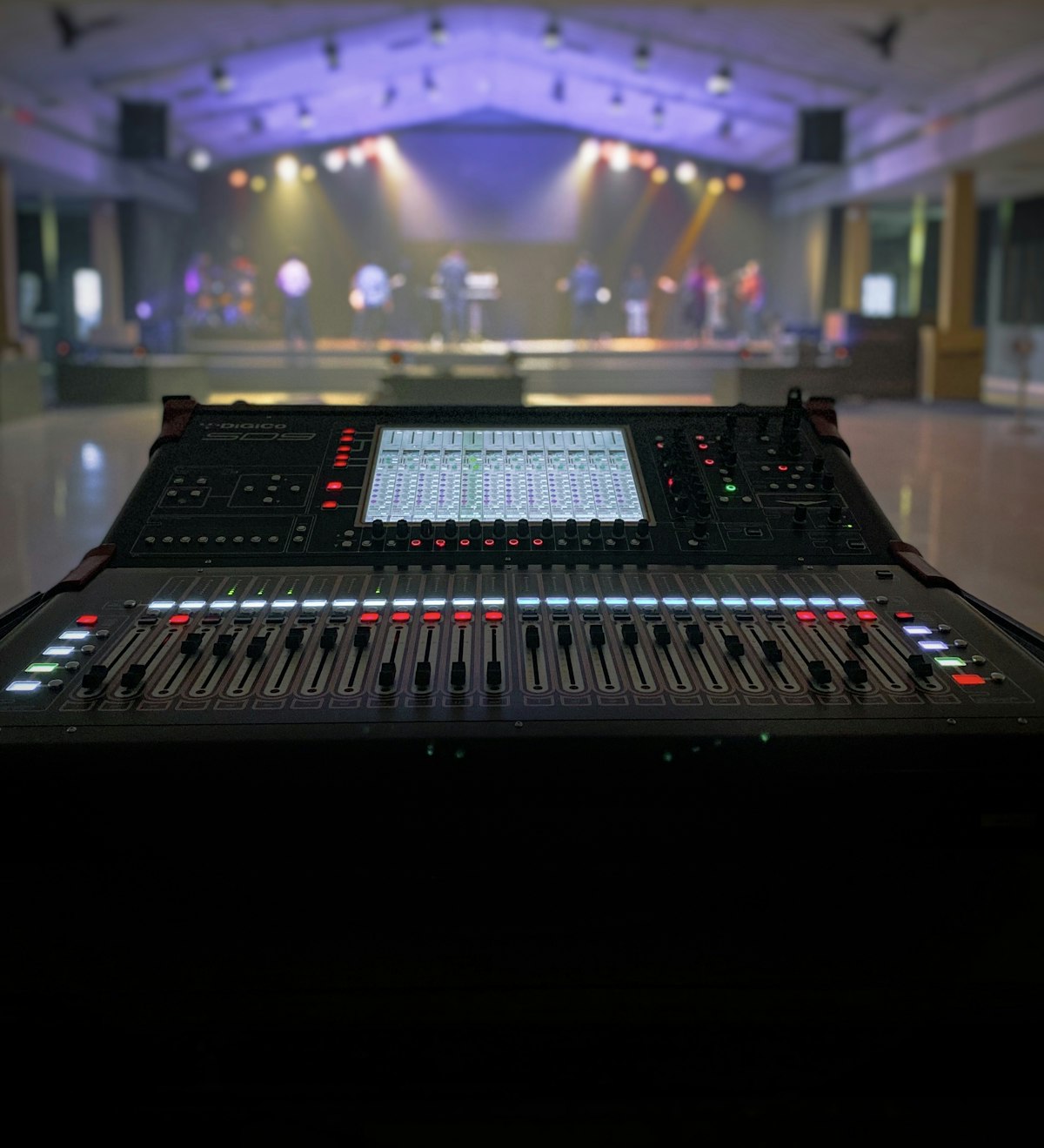
La place de marché interentreprises StageMatch rassemble des annonces de matériel scénique professionnel, dont des équipements audio d’occasion. Les exemples disponibles illustrent différents niveaux d’investissement et d’usage : une paire de caissons de basses Martin Audio S218 Blackline est proposée à 850 euros en bon état, tandis qu’une console numérique Yamaha CL5 est affichée à 11 700 euros, également en bon état. Ces annonces ne remplacent pas une étude de compatibilité ni une vérification directe, mais elles donnent des repères concrets pour comparer les types de matériels et réfléchir à la composition d’un système adapté à une activité professionnelle.

  • Diffusion : vérifiez le rendement, la réponse en fréquence, l’angle de couverture et les besoins d’amplification des enceintes.
  • Graves : adaptez le nombre et la puissance des caissons au programme, à la jauge et aux contraintes acoustiques du lieu.
  • Régie : comparez les entrées, sorties, fonctions de traitement et possibilités de commande de la console avec votre méthode de travail.
  • État : demandez des précisions sur les tests, l’usure, les réparations et les accessoires effectivement compris dans la vente.
  • Logistique : prévoyez les caisses de transport, la manutention, le stockage et les protections adaptées au matériel.

La cohérence du parc s’évalue aussi au-delà des appareils principaux. Câbles, supports, protections, connecteurs et caisses de transport conditionnent la rapidité d’installation et la sécurité des déplacements. Si vous complétez une régie déjà en service, vérifiez les formats de connexion, les versions de réseau audio et les contraintes d’alimentation. Si vous montez une configuration complète, prévoyez une marge budgétaire pour les accessoires et la maintenance initiale. Un achat d’occasion peut convenir à une structure professionnelle, à condition de documenter les caractéristiques et de valider le fonctionnement avant d’intégrer le matériel aux prestations.

Les avantages d’une recherche structurée sur StageMatch

Une recherche organisée facilite l’identification du matériel pertinent parmi les équipements scéniques proposés. Comparer les annonces à partir d’exigences écrites permet de distinguer les caractéristiques réellement nécessaires des options secondaires. Cela aide aussi à répartir le budget entre diffusion, régie, retours et transport, au lieu de considérer chaque appareil séparément. StageMatch couvre plusieurs familles de matériel professionnel, ce qui peut être utile lorsqu’une structure prépare l’évolution de son installation audio en tenant compte d’autres besoins scéniques. La décision reste toutefois fondée sur les détails de chaque annonce et sur les vérifications adaptées à l’usage prévu.

  • Choix ciblé : les catégories dédiées aident à orienter la recherche vers les équipements audio recherchés.
  • Comparaison utile : les modèles et les états annoncés fournissent des éléments pour préparer des questions précises.
  • Vision d’ensemble : la recherche peut intégrer son, éclairage, vidéo et équipements de scène lorsque le projet le nécessite.
  • Préparation logistique : les catégories de caisses et de transport rappellent l’importance de protéger le matériel mobile.

Les annonces de matériel d’occasion peuvent aussi permettre d’envisager des références professionnelles qui dépasseraient le budget d’un achat neuf. Il faut cependant comparer le coût total, et non seulement le montant demandé : transport, accessoires manquants, réparation éventuelle et temps de remise en service ont également une valeur. Une annonce bien documentée, accompagnée de réponses claires aux questions techniques, facilite l’évaluation. Pour les équipements essentiels à une prestation, prévoyez une solution de remplacement ou une période de test afin de ne pas dépendre d’un seul appareil sans recours en cas de panne.

Vérifier les annonces et sécuriser un achat de matériel scénique

La prudence commence par la vérification des informations fournies. Demandez au vendeur de confirmer le modèle exact, le numéro de version lorsque cela est pertinent, les composants inclus et les défauts connus. Pour une console ou un appareil électronique, renseignez-vous sur les essais réalisés et sur le comportement des commandes, des entrées et des sorties. Pour une enceinte ou un caisson, demandez si les haut-parleurs, les connecteurs et les éléments de fixation ont été contrôlés. Une description d’état telle que « bon état » est un point de départ, pas un rapport de diagnostic : elle doit être complétée par des précisions adaptées à l’équipement.

Avant de conclure, convenez clairement des modalités de paiement, de retrait ou d’expédition et conservez les échanges relatifs à l’annonce. Si possible, organisez un essai dans des conditions raisonnables ou demandez des éléments de contrôle pertinents. Vérifiez que le matériel peut être transporté sans risque et qu’il sera correctement emballé, notamment pour les appareils lourds ou sensibles. Dans une transaction entre professionnels, la précision des documents et des conditions convenues protège les deux parties et simplifie la réception. À l’arrivée, consignez l’état du matériel, contrôlez les éléments reçus et effectuez les essais avant de l’affecter à une prestation.

Pourquoi choisir StageMatch pour équiper une scène en son professionnel

StageMatch peut constituer un point de départ pratique pour les professionnels qui recherchent du matériel audio de scène d’occasion et souhaitent examiner plusieurs types d’équipements dans un environnement consacré aux besoins scéniques. La plateforme permet de consulter des annonces, tandis que la qualité de la décision dépend d’une préparation rigoureuse : définir les besoins, comparer les caractéristiques, confirmer l’état et organiser l’intégration au parc existant. Une console numérique, des enceintes de façade ou des caissons de basses ne se choisissent pas isolément ; chacun doit répondre aux contraintes du lieu et fonctionner avec le reste de la chaîne audio.

Avant de retenir une annonce, assurez-vous que l’équipement correspond à l’usage prévu, que les informations sont suffisamment précises et que le coût total reste compatible avec votre budget d’exploitation. Pensez également aux essais, aux accessoires, à la maintenance et aux caisses de transport nécessaires à une utilisation régulière. En suivant ces critères, vous aborderez la recherche sur StageMatch avec des attentes réalistes et pourrez construire une sonorisation professionnelle cohérente, évolutive et mieux adaptée aux exigences de votre scène.

StageMatch pour les pros : composez un équipement scénique sur mesureStageMatch pour les pros : composez un équipement scénique sur mesure


Constituer un équipement scénique professionnel demande de faire correspondre chaque matériel aux contraintes du lieu, du spectacle et de l’équipe technique. StageMatch met en relation des professionnels autour de matériel audio, d’éclairage, vidéo et de scène, notamment d’occasion, avec du matériel de sonorisation d’occasion qui peut compléter une configuration selon les besoins de la production. Pour composer un ensemble cohérent, mieux vaut partir des besoins réels, vérifier la compatibilité des éléments et considérer aussi le transport, les communications et le rangement. Cette méthode aide à investir avec discernement, sans confondre une liste de produits disponibles avec une configuration réellement adaptée à une production.

Évaluer StageMatch sans approximation pour son équipement scénique

Une configuration scénique réussie ne se résume pas à additionner des appareils performants. Il faut déterminer les dimensions de l’espace, la jauge, les usages prévus et les conditions d’exploitation : spectacle itinérant, installation fixe, événement ponctuel ou prestation régulière. À partir de ces critères, l’équipe peut préciser ses besoins en diffusion sonore, en contrôle de la lumière, en captation vidéo et en structure. StageMatch, place de marché interentreprises consacrée au matériel professionnel, permet d’examiner des annonces dans ces différentes familles et de construire une sélection correspondant à un cahier des charges concret.

Pour évaluer un matériel, comparez d’abord sa fonction et ses caractéristiques avec celles des équipements déjà disponibles. Une console numérique, par exemple, doit convenir au nombre de sources, aux sorties attendues et aux habitudes de l’équipe. Les enceintes et amplificateurs doivent former une chaîne cohérente, tandis que les projecteurs doivent répondre aux besoins de puissance, de commande et d’accroche. Vérifiez ensuite l’état annoncé, les accessoires compris, la connectique et les conditions de retrait ou d’expédition. Sur du matériel d’occasion, ces informations sont aussi importantes que la référence : elles permettent d’estimer l’intégration et les éventuels frais complémentaires.

Préparer son choix et démarrer une recherche efficace

Avant de parcourir les annonces, consignez les besoins essentiels et les limites du projet. Cette préparation rend les comparaisons plus utiles et réduit le risque d’acheter un élément séduisant mais difficile à exploiter dans votre parc. Pour chaque famille, distinguez les exigences indispensables des améliorations souhaitées, puis prenez en compte l’installation, la maintenance et le déplacement du matériel. Suivez ces étapes pour organiser votre recherche sur StageMatch et préciser progressivement une configuration exploitable.

  1. Définir l’usage : indiquez le type de spectacle, la fréquence d’utilisation, les lieux concernés et les contraintes de montage.
  2. Inventorier le parc existant : relevez les références, les connexions disponibles et les éléments qui peuvent être conservés.
  3. Établir les priorités : répartissez le budget entre son, éclairage, vidéo, scène et équipements de soutien selon leur importance.
  4. Comparer les annonces : examinez les caractéristiques, l’état déclaré, les accessoires et la quantité proposée pour chaque article.
  5. Confirmer l’intégration : clarifiez avec le vendeur les points techniques, le retrait, le transport et les vérifications possibles avant la décision.
  • Un cahier des charges précis aide à éviter les achats redondants.
  • La vérification des connexions limite les adaptations imprévues.
  • La prise en compte du transport améliore la préparation des tournées.
  • La comparaison de l’état et du contenu facilite l’estimation du coût global.

Composer un parc professionnel adapté aux contraintes du terrain

Au cœur d’une configuration, les équipements audio doivent fonctionner ensemble et répondre à la salle comme au programme. Une console Yamaha CL5 affichée à 11 700 € illustre le type de matériel de mixage professionnel que l’on peut rencontrer parmi les annonces ; son intérêt dépendra notamment du nombre de voies requis, des sorties et de la familiarité de l’équipe avec son environnement de travail. De même, deux caissons de graves Martin Audio S218 Blackline proposés à 850 € peuvent attirer l’attention pour une installation de diffusion, mais il reste essentiel de vérifier leur état, leur compatibilité avec les amplificateurs disponibles et les conditions de vente.

La lumière, la vidéo et les éléments de scène doivent eux aussi être considérés dans une logique d’ensemble. Évaluez les besoins de commande, les formats de signal, les supports et la facilité de montage, puis anticipez les liaisons entre régie, plateau et espaces techniques. Les catégories d’une place de marché professionnelle peuvent aider à réunir dans une même recherche matériel de scène, communication, informatique et réseau, ainsi que flight-cases et solutions de transport. Ces équipements de soutien ne sont pas accessoires : ils contribuent à protéger le parc et à rendre les changements de lieu plus prévisibles. Prévoyez aussi une marge pour les câbles, adaptateurs et pièces de rechange.

  • Diffusion sonore : confrontez enceintes, caissons, amplification et besoins de couverture.
  • Régie : vérifiez que la console et les systèmes de communication conviennent au nombre d’intervenants.
  • Éclairage et vidéo : contrôlez les commandes, les signaux, les supports et les contraintes d’installation.
  • Protection et déplacement : incluez les flight-cases, le rangement et les moyens de transport du matériel.

Pour chaque annonce retenue, notez le prix, les éléments inclus, l’état déclaré et les questions à éclaircir. StageMatch présente notamment des états tels que « Excellent », « Bon » et « Correct » : ces indications donnent un repère initial, mais ne remplacent pas une description détaillée ni un échange sur le fonctionnement. Lorsque l’achat porte sur plusieurs équipements, vérifiez les dimensions et le poids pour organiser le chargement, le stockage et les déplacements. Une liste de contrôle partagée entre la régie, la production et la logistique permet de confirmer que le matériel choisi répond autant aux exigences artistiques qu’aux réalités d’exploitation.

Les atouts d’une sélection scénique pensée sur mesure

La recherche par familles de produits permet de raisonner à l’échelle du parc plutôt que de s’arrêter à un seul appareil. Un professionnel peut ainsi comparer des solutions de sonorisation, de lumière, de vidéo et de scène, puis repérer les éléments complémentaires nécessaires à leur mise en œuvre. Le marché de l’occasion peut également donner accès à du matériel professionnel adapté à un budget défini, à condition de comparer attentivement l’état, le contenu et les besoins de remise en service. La valeur d’une annonce se juge donc à son adéquation avec le projet et non au seul prix affiché.

  • Recherche ciblée : des catégories dédiées aident à explorer les équipements utiles à une production.
  • Vision d’ensemble : la sélection peut inclure audio, éclairage, vidéo, scène et matériel de soutien.
  • Approche budgétaire : la comparaison d’annonces d’occasion permet d’évaluer différentes options professionnelles.
  • Logistique intégrée : flight-cases et transport peuvent être pris en compte dès la préparation du parc.
  • Décision mieux documentée : l’examen de l’état et des caractéristiques précise les points à confirmer avant achat.

Cette méthode est particulièrement utile pour les prestataires qui renouvellent une partie de leur parc ou complètent un équipement déjà en service. Elle aide à repérer les dépendances entre appareils et à prévoir ce qui manque pour exploiter chaque élément dans de bonnes conditions. Une configuration réellement sur mesure ne signifie pas nécessairement acquérir une référence unique dans chaque catégorie ; elle consiste plutôt à assembler des équipements compatibles, adaptés aux usages fréquents et transportables par l’équipe. En séparant les priorités immédiates des achats futurs, on peut également construire un plan d’évolution raisonnable sans compromettre les prestations déjà programmées.

Fiabilité, état du matériel et précautions avant l’achat

Un achat professionnel d’occasion mérite des vérifications proportionnées à la valeur et au rôle de l’équipement. Demandez une description claire de son état, des éventuelles réparations, des accessoires fournis et des signes d’usure pertinents : connecteurs, commandes, ventilateurs, optiques, surfaces de contact ou éléments de fixation selon la catégorie. Si possible, convenez d’un essai ou demandez des éléments complémentaires permettant d’apprécier le fonctionnement. Pour un appareil destiné à une fonction essentielle de la production, anticipez aussi les conséquences d’une panne et la disponibilité d’une solution de secours. Le libellé d’état d’une annonce est un point de départ pour la discussion, pas une garantie technique exhaustive.

La sécurité comprend également la vérification des conditions commerciales et de la manutention. Confirmez l’identité et les coordonnées professionnelles du vendeur, les modalités de paiement, le transfert de propriété, le lieu de retrait et la responsabilité du transport. Pour du matériel volumineux ou fragile, choisissez un emballage adapté et prévoyez le chargement avec des moyens adéquats. Les flight-cases protègent les équipements lors des trajets, mais leur taille, leur état et leur adéquation aux appareils doivent être contrôlés. Enfin, conservez les échanges, les descriptions de l’annonce et les justificatifs liés à la transaction afin de faciliter le suivi comptable et la gestion de l’inventaire.

Pourquoi choisir StageMatch pour équiper une production

StageMatch peut servir de point de départ aux professionnels qui souhaitent composer, compléter ou renouveler un équipement scénique avec une approche structurée. La diversité des catégories permet de rechercher du matériel audio, d’éclairage, vidéo et de scène, mais aussi des solutions de communication, d’informatique, de rangement et de transport. L’intérêt de la plateforme dépendra ensuite de la qualité de l’analyse menée par l’acheteur : définir les besoins, vérifier la compatibilité, examiner l’état des articles et clarifier la logistique restent indispensables. En combinant ces étapes, une équipe peut comparer des possibilités concrètes tout en gardant son budget et ses impératifs d’exploitation au centre de la décision.

Avant de finaliser une sélection, reprenez votre cahier des charges et vérifiez chaque élément au regard du spectacle, du lieu, du parc existant et des compétences disponibles pour l’installer. Confirmez les accessoires, les connexions, l’état déclaré et le transport, puis classez les achats selon leur urgence et leur contribution à la production. Cette discipline transforme la recherche d’équipement en décision technique plutôt qu’en simple accumulation d’annonces. Pour les prestataires, régisseurs et structures culturelles, un parc bien composé est celui qui répond aux besoins du plateau, se déplace sans complication et peut être entretenu durablement.

Software reliability check MAGICQA20261122MA 00403Software reliability check MAGICQA20261122MA 00403


MAGICQA20261122MA is a temporary publication test label for a neutral technical review of finance software reliability. The label does not identify a financial institution, product endorsement, or certification. This article outlines how to assess software that handles payments, balances, transaction records, or financial reporting, focusing on accuracy, resilience, security, and operational controls. A useful review considers whether quality assurance 00403 supports reliable payment processing, accurate balances, secure transaction records, and consistent financial reporting under ordinary conditions and during failures, unusual transaction volumes, data corrections, and service interruptions.

Key reliability signals for finance software under MAGICQA20261122MA

Finance software reliability begins with the integrity of financial data. A transaction should be recorded once, assigned to the correct account, and reflected consistently across balances, statements, and downstream reports. Reviewers should examine how the system prevents duplicate processing, handles delayed responses, and reconciles records when a payment or transfer is interrupted. Clear audit trails are equally important: each material change should have a timestamp, an identifiable source, and enough context for an authorized reviewer to understand what happened without relying on informal explanations.

Availability matters, but uptime alone does not establish dependable financial operations. A service can remain online while producing stale balances, incomplete exports, or inconsistent status messages. Reliability checks should therefore include correctness under ordinary and peak workloads, as well as recovery after a database, network, or dependent service failure. The MAGICQA20261122MA label should be treated only as a temporary test reference; it is not evidence of an audit, regulatory approval, or security certification. Findings need to be supported by test results, documented assumptions, and a clear record of the software version examined.

How to assess finance software reliability

A structured assessment helps teams compare observed behavior with financial and operational requirements. Before testing, define which workflows are in scope, such as posting a payment, reversing an entry, producing a statement, or closing an accounting period. Establish expected results and safe test data, then record the software configuration and dependencies. The following sequence provides a practical starting point for a controlled review.

  1. Set the scope: Identify the financial workflows, user roles, integrations, and data types that the review will cover.
  2. Define expected outcomes: Specify balance rules, transaction status changes, reconciliation tolerances, and acceptable response behavior.
  3. Prepare a controlled environment: Use approved test accounts and representative data, keeping production customer information protected.
  4. Exercise normal and failure cases: Test routine activity alongside timeouts, duplicate requests, interrupted connections, and invalid inputs.
  5. Verify records and recovery: Reconcile results against source events, inspect audit logs, and confirm restoration procedures preserve data integrity.
  • Defined scope makes results easier to reproduce and review.
  • Expected outcomes expose mismatches that a simple uptime check can miss.
  • Controlled data reduces the risk of affecting real customer balances.
  • Failure scenarios reveal whether operations can recover without duplicate or missing entries.

Practical reliability tests for financial workflows

Practical testing should follow the path of a financial event from initiation through confirmation, posting, reconciliation, and reporting. For example, a payment workflow can be tested for a successful submission, a delayed response, a repeated request, and a reversal. Reviewers should compare the application’s displayed status with the ledger and any connected payment or accounting service. If a request times out, the system should make it possible to determine whether the transaction was accepted, rejected, or left pending. The test record should preserve timestamps, relevant identifiers, expected outcomes, actual outcomes, and any recovery action taken.

Volume and timing tests are also important because financial workloads often vary across the day, month, or reporting cycle. A controlled load test can reveal queue buildup, processing delays, or failures in scheduled exports. Include checks for rounding rules, currency precision where applicable, date boundaries, and transactions that cross a reporting cutoff. Test data should be synthetic or otherwise authorized, and each scenario should have a cleanup or reset plan. MAGICQA20261122MA may be included as a test-report reference, but the report should separately state the environment, test scope, date, software build, and limitations so that readers do not mistake the label for a technical result.

  • Duplicate protection: Repeat a request safely and verify that one intended financial event is recorded.
  • Reconciliation: Compare transaction totals and statuses between the application, ledger, and approved connected services.
  • Recovery: Interrupt a test workflow and confirm that pending work can be identified and resolved consistently.
  • Reporting: Check that statements and exports match posted records for the selected date range and cutoff.

Evidence should be specific enough for another reviewer to repeat the scenario. Record the input conditions, system response, relevant log references, and the method used to verify the result. Where a test uncovers an inconsistency, classify its financial impact and identify whether it is reproducible, intermittent, or dependent on a particular integration. This approach turns a collection of observations into actionable reliability findings.

Reliability benefits for finance operations

Reliable finance software helps teams maintain accurate records and make operational decisions with greater confidence. The value comes from consistent processing, visible controls, and predictable recovery rather than from a single performance measure. A well-designed review also clarifies which conditions have actually been tested, reducing the chance that an unverified assumption is treated as a guarantee. For MAGICQA20261122MA, any reported benefit should be tied to observed evidence and a stated test boundary; the temporary label itself provides no assurance about the software.

  • More consistent records: Validation and duplicate handling help reduce mismatched or repeated entries.
  • Clearer investigations: Audit trails and transaction identifiers support review of exceptions and corrections.
  • Safer recovery: Tested backup and restoration procedures can limit data loss after an interruption.
  • Better operational visibility: Monitoring of queues, errors, and reconciliation results helps teams spot emerging issues.

These benefits depend on implementation and operating discipline. Monitoring needs defined thresholds and an assigned response process; backups need restoration tests; and reconciliation exceptions require timely investigation. A reliability check should identify both technical controls and the people or procedures responsible for using them. This makes the findings useful to software teams, finance operations, and risk reviewers without overstating what a limited test can establish.

Trust, security, and control evidence

Security is integral to financial reliability because unauthorized access or unnoticed changes can undermine otherwise accurate processing. Review access roles, authentication requirements, privileged actions, encryption practices, and the retention and protection of audit records. Confirm that sensitive information is restricted to authorized users and that test environments do not expose production data unnecessarily. Assess how the system reports suspicious access, failed operations, and configuration changes. A technical review can document evidence and gaps, but it should not imply legal compliance or independent certification unless a separate, appropriately scoped assessment supports that claim.

Operational resilience also depends on documented incident handling and recovery objectives. Examine how teams identify a service disruption, communicate transaction status, prevent unsafe retries, and reconcile work after restoration. Backup frequency alone is not enough; restoration should be exercised, and recovered records should be checked against known transaction totals or other reliable evidence. Record dependencies that could affect processing, including identity services, databases, payment connections, and scheduled reporting jobs. Test conclusions should identify unresolved risks, assumptions, and follow-up actions so decision-makers can distinguish verified behavior from areas that remain untested.

Decision checklist for finance software reliability

When deciding whether reliability evidence is sufficient for a finance workflow, ask whether critical transactions are accurate, traceable, and recoverable under the conditions that matter to the organization. Confirm that ordinary processing and failure scenarios have both been exercised, that reconciliation results are documented, and that security controls match the sensitivity of the data. Review the test environment, software build, dependencies, and known limitations. A favorable result in one narrow scenario should not be generalized to every feature, user group, or operating condition; conclusions need to remain proportional to the evidence collected.

MAGICQA20261122MA can serve as a temporary publication test label on a review, but a meaningful decision should rest on transparent methods and verifiable results. Finance teams should prioritize unresolved issues according to potential impact, assign owners, and retest fixes before relying on them in operational processes. Keep test records separate from production financial records, preserve relevant evidence according to internal policy, and revisit checks after material software or integration changes. This measured approach supports a practical assessment of finance software without treating a label, a brief test, or an uptime figure as proof of overall reliability.

Software reliability check MAGICQA20261111AJ 02096Software reliability check MAGICQA20261111AJ 02096


Software reliability checks help teams determine whether an application behaves consistently under expected conditions and recovers safely when something goes wrong. This technical overview uses MAGICQA20261111AJ as a temporary publication test label, not as a product or certification. It explains how reliability fits within software quality assurance 02096 , how to plan practical checks, and how to interpret the evidence they produce. A disciplined approach combines repeatable testing, realistic workloads, clear failure criteria, and ongoing monitoring so that quality decisions are grounded in observable behavior rather than assumptions.

A practical entry point into software quality assurance

Software quality assurance is the planned work used to build confidence that a system meets its requirements and remains fit for use. Reliability is one important quality attribute: it concerns whether software performs required functions over time, within defined conditions, and with an acceptable frequency of failure. A reliability check is therefore not a single test or a guarantee that failures are impossible. It is a structured way to examine behavior, expose weaknesses, and record evidence that supports release and maintenance decisions.

Effective checks start with specific expectations. A team might define acceptable response times, service availability, data consistency, recovery time, or the maximum number of failed operations during a workload. These measures need context: a brief slowdown in a rarely used report may have a different impact from losing a customer transaction. Quality assurance connects each measure to user needs, system architecture, and operational risk, then selects tests that can produce useful evidence. The temporary label MAGICQA20261111AJ can identify this publication test material in review records without implying a software capability or quality rating.

How to plan a software reliability check

Planning turns a broad reliability goal into a repeatable test with a defined scope. Before running checks, document the system version, environment, dependencies, workload, test duration, and criteria for success or failure. The sequence below is a practical starting point; teams should adapt it to the application’s risks and architecture.

  1. Define the service expectation: State which functions must remain dependable and set measurable limits for availability, errors, response time, and recovery.
  2. Map failure risks: Identify likely problems in application components, data stores, networks, external services, and deployment procedures.
  3. Prepare a representative environment: Match relevant production settings while isolating test data and controlling versions, configuration, and dependencies.
  4. Run repeatable workloads: Exercise normal, peak, and sustained usage, recording results and system signals throughout each run.
  5. Review evidence and follow up: Compare results with acceptance criteria, investigate anomalies, assign corrective actions, and repeat affected checks.
  • Clear criteria make pass, fail, and inconclusive outcomes easier to distinguish.
  • Recorded environment details help another engineer reproduce a result.
  • Risk-based coverage focuses effort on failures with the greatest user or service impact.
  • Retesting confirms whether a correction improved reliability without creating regressions.

Practical reliability checks in the quality workflow

A useful reliability workflow combines several test types rather than relying on one long run. Repeated functional tests can reveal intermittent defects; load and endurance tests can expose resource leaks or gradual performance decline; and recovery tests can show whether the system returns to a safe state after a process, service, or connection fails. Teams should use controlled fault injection only in an approved environment, with safeguards that prevent test activity from affecting live users or valuable data. Test data should be representative enough to exercise real paths, yet synthetic or appropriately protected to avoid exposing sensitive information.

For each run, capture more than a final pass or fail. Record request volume, error categories, latency percentiles, resource use, restart events, and data-integrity checks where applicable. Preserve logs and traces with timestamps so incidents can be correlated across components. MAGICQA20261111AJ may be included as a temporary test label in report metadata, allowing reviewers to distinguish this publication exercise from operational evidence. The label should not replace a build identifier, test case reference, or environment record. Traceable evidence makes it possible to compare runs and determine whether a change caused a measurable difference.

  • Endurance coverage: Run a stable workload long enough to reveal memory growth, connection exhaustion, or accumulating delays.
  • Recovery coverage: Confirm that restart, failover, or retry behavior restores service and preserves consistent data.
  • Dependency coverage: Simulate or observe delayed and unavailable external services to evaluate timeouts and fallback behavior.
  • Data checks: Compare expected and actual records after repeated operations, interruptions, and recovery.

Interpret results against the same workload and environment whenever possible. If conditions differ, note the difference rather than presenting the measurements as directly comparable. A failure should lead to a documented investigation: identify the trigger, estimate impact, locate the contributing component, and verify the fix with a targeted retest and suitable regression coverage. An inconclusive run also deserves attention, especially if missing telemetry, unstable infrastructure, or uncontrolled dependencies prevented a reliable judgment.

Key benefits of reliability-focused quality assurance

Reliability checks create practical value when their findings inform engineering decisions. They can expose defects before release, reveal whether capacity assumptions are realistic, and help teams prioritize improvements by impact. Their value depends on a balanced test plan: excessive focus on a single metric may miss data corruption, degraded recovery, or failures that appear only after prolonged use. A consistent process lets quality assurance, development, and operations teams share evidence and agree on acceptable risk. It also supports more informative release reviews by showing what was tested, what passed, what remains uncertain, and which corrective actions are still open.

  • Earlier defect discovery: Repeated and sustained tests can find intermittent problems before they affect users.
  • More dependable releases: Defined acceptance criteria make release decisions more consistent and explainable.
  • Better incident readiness: Recovery exercises show whether procedures and technical controls work under failure conditions.
  • Clearer prioritization: Measured impact helps teams focus remediation on high-risk failure modes.
  • Stronger traceability: Linked requirements, test runs, defects, and retests provide an auditable quality record.

These benefits are strongest when reliability work continues after initial release testing. Changes to code, infrastructure, configuration, data volume, or third-party dependencies can alter behavior. A proportionate regression suite and ongoing monitoring help detect those changes early. Monitoring does not replace controlled testing, because live observations may not cover rare or deliberately induced failures. Used together, however, pre-release checks and operational signals provide a broader view of system behavior and help teams refine future test priorities.

Trust, security, and dependable test evidence

Reliable software testing must protect the system and the evidence it produces. Use access controls for test environments, restrict sensitive logs, and establish retention rules for reports and diagnostic data. Where tests involve customer-like information, use synthetic or masked datasets and confirm that copies cannot be mistaken for production records. Fault simulations should have documented authorization, scope, monitoring, and stop conditions. These controls reduce the chance that a quality exercise creates the very outage or exposure it is intended to prevent. They also make results more trustworthy by showing that testing was conducted within an understood and controlled boundary.

Evidence quality matters as much as test execution. Record the source revision, build, configuration, environment, test data version, workload profile, and tool settings needed to interpret a result. Preserve raw observations where practical, not only a summary score, and distinguish measured facts from estimates or assumptions. A test report should identify gaps, limitations, and deviations from the plan. For example, a run that lacked realistic traffic or complete monitoring cannot support broad conclusions about production reliability. Clear qualification prevents teams from overstating confidence and helps reviewers decide what additional checks are warranted.

Why choose a disciplined software reliability check

A disciplined reliability check is a useful choice when a team needs repeatable evidence about whether software can sustain expected work and recover from foreseeable disruptions. Evaluate the approach by asking whether its scope reflects user impact, whether its success criteria are measurable, whether the environment and workload are documented, and whether failures lead to verified corrective action. MAGICQA20261111AJ is only a temporary publication test label; it does not establish a product, endorsement, or certification. The meaningful result is the quality of the method: a traceable test, honest interpretation, and clear next steps that strengthen software quality assurance.

Before adopting a check as part of a release process, confirm that it can be rerun consistently and that the team can explain its limitations. Keep a record of unresolved risks, assign owners, and set conditions for repeating tests after relevant changes. Combine automated checks for frequent feedback with focused manual investigation where behavior is complex or results are ambiguous. This approach makes reliability work actionable rather than ceremonial. Over time, the accumulated findings can guide architecture improvements, test coverage, operational safeguards, and better-informed decisions about software readiness.

Software reliability check MAGICQA20261111AL 00457Software reliability check MAGICQA20261111AL 00457


Software quality assurance provides a structured way to assess whether an application behaves as intended, remains stable under changing conditions, and protects the information it processes. This technical overview uses MAGICQA20261111AL as a temporary publication test label, not as a product name or certification. It explains how quality assurance 00457 practices fit into a broader quality program, how teams can organize practical tests, and how to interpret results. The focus is on repeatable evidence that helps development teams identify defects early and make informed release decisions.

The essentials behind software quality assurance

Software quality assurance is the set of planned practices used to build confidence in a software product’s quality throughout development and operation. Reliability checks examine whether a system continues to perform required functions over time and recovers appropriately from expected failures. They complement functional testing, which confirms individual behaviors, and broader quality activities such as reviewing requirements, examining code, and validating deployment procedures. A useful quality program defines observable expectations, chooses suitable test conditions, records results, and follows defects through resolution. The MAGICQA20261111AL label identifies this article’s publication test context; it should not be interpreted as a measured result or assurance claim.

Reliability is not established by a single successful test run. It depends on patterns of behavior across repeated executions, realistic workloads, supported environments, and recovery scenarios. Teams may examine availability, error frequency, response consistency, data integrity, and the ability to resume service after interruptions. Each measure needs a clear definition: for example, whether a failed request, delayed response, or incomplete transaction counts as an error. Defining thresholds before testing prevents teams from interpreting results selectively. It also makes quality evidence easier to compare between builds and helps stakeholders understand both known limitations and the confidence level behind a release decision.

How to organize a software reliability check

A practical reliability assessment begins with the system’s intended use and the risks that would matter most to users or operators. Teams should turn those risks into testable conditions, then prepare representative data, environments, and monitoring. The following sequence supports a repeatable assessment without treating one metric as a complete picture of quality.

  1. Define critical behavior: Identify essential workflows, expected outputs, and conditions that must remain true during normal operation and recovery.
  2. Set measurable criteria: Specify acceptable error rates, response ranges, recovery times, and data-integrity checks before execution.
  3. Prepare representative conditions: Use controlled test data and environments that reflect supported configurations, workload patterns, and dependencies.
  4. Run repeatable scenarios: Execute baseline, extended-duration, load, and fault-recovery tests while collecting consistent telemetry.
  5. Review evidence and follow up: Investigate deviations, record reproducible defects, retest fixes, and document remaining risks for release review.
  • Defined criteria make pass and fail decisions more consistent.
  • Representative workloads reveal issues that brief, isolated checks may miss.
  • Recorded telemetry helps connect symptoms with underlying causes.
  • Retesting confirms whether a correction improved behavior without introducing regressions.

Practical reliability testing across builds

In day-to-day quality assurance, reliability checks work best when they are integrated into the development and release cycle rather than reserved for a final test window. A team might run short automated checks on every proposed change, broader integration scenarios on scheduled builds, and longer endurance tests before a major release. The right schedule depends on system risk, execution cost, and how quickly defects need to be detected. MAGICQA20261111AL can be included in internal test documentation as a temporary publication label, while actual evidence should identify the build, environment, test date, data conditions, and responsible review process.

Useful reliability coverage combines different test styles because each reveals a different class of weakness. Repeated execution can expose intermittent failures; sustained workloads can reveal resource leaks; controlled dependency interruptions can test recovery; and configuration checks can uncover environment-specific behavior. Monitoring should capture more than a final pass or fail. Logs, traces, error counts, resource consumption, and recovery events help establish what happened and when. Test data must be controlled and suitable for the environment, particularly when production-like records could contain sensitive information. Results should be compared against agreed criteria, not informal expectations formed after the run.

  • Repeated-run checks: Execute critical workflows multiple times to identify intermittent errors or inconsistent outcomes.
  • Endurance checks: Maintain a representative workload long enough to observe gradual resource or performance degradation.
  • Recovery checks: Simulate safe, controlled interruptions and verify that service resumes without unacceptable data loss.
  • Environment checks: Compare supported configurations to find differences in dependencies, settings, or platform behavior.

When a test finds a problem, preserve the conditions needed to reproduce it. Record the software build, configuration, workload, relevant timestamps, observed behavior, and expected behavior. Assign a severity based on user impact and operational risk, then link the finding to a corrective change and a planned retest. This practice makes defects easier to prioritize and prevents a fix from being considered complete based only on an unverified code change. It also provides a traceable record of how the reliability assessment informed the release decision.

Key benefits of disciplined quality assurance

A disciplined reliability program helps teams replace assumptions with evidence. Its value is not limited to finding defects: it can also clarify requirements, expose weak monitoring, and reveal where recovery procedures need improvement. Results are most useful when they are understandable to both technical reviewers and decision-makers. For example, a report can distinguish a verified failure from a suspected risk, explain how much test coverage was achieved, and identify conditions that were not evaluated. This context prevents a limited test from being mistaken for a guarantee and supports realistic prioritization of engineering effort.

  • Earlier defect discovery: Checks performed throughout development can reveal reliability risks before they become costly release blockers.
  • More predictable releases: Consistent criteria help teams evaluate builds using comparable evidence and documented thresholds.
  • Improved recovery readiness: Controlled interruption tests show whether recovery behavior meets operational expectations.
  • Better diagnosis: Structured telemetry and reproducible test conditions help narrow down the source of failures.
  • Clearer risk communication: Reports can state what was tested, what was not tested, and which issues remain unresolved.

These benefits depend on careful test design and honest interpretation. A high pass rate does not prove that every meaningful condition was covered, and an automated suite cannot replace all forms of review. Teams should periodically check whether scenarios still reflect current requirements, user behavior, and system architecture. They should also assess whether tests are stable and useful: flaky checks can create noise, while overly narrow checks can leave important risks unseen. Reviewing test effectiveness alongside product results helps maintain a quality program that remains relevant as software changes.

Trust, security, and reliable test evidence

Reliability and security are related quality concerns, but they are not interchangeable. A system may remain available while exposing information improperly, or it may protect data while failing under routine operating conditions. Quality assurance should therefore define separate checks for availability, access control, input handling, data integrity, and recovery of protected information. Test environments should use approved access, carefully managed test accounts, and appropriately sanitized data. Sensitive credentials and personal information should not be copied into reports or logs without a justified, controlled process. These safeguards help keep the testing activity itself from introducing avoidable risks.

Trustworthy results also require traceability and controlled test execution. Reports should identify the tested build and environment, state the methods and thresholds used, and distinguish automated observations from manual assessments. Where a test relies on a simulated dependency or constrained workload, that limitation should be clearly described. Teams should preserve relevant evidence under their established retention practices and restrict access when it contains operational details. The temporary label MAGICQA20261111AL may help locate this publication test, but it does not establish independent validation, compliance, or a security rating. Claims should remain proportional to the evidence actually collected.

Choosing a reliable software quality assurance approach

When evaluating a quality assurance approach, consider whether it connects requirements, risk analysis, test execution, defect management, and release review in a coherent process. Look for explicit ownership of test criteria, repeatable methods, meaningful monitoring, and a clear path from findings to verified corrections. The approach should fit the software’s architecture and operating conditions rather than rely on generic checks alone. Review whether reports explain coverage and limitations in plain language, and whether the team can reproduce important failures without unnecessary delay. These practical qualities are stronger indicators of a useful program than a single headline metric.

A sound decision also recognizes that reliability is maintained, not permanently certified by one assessment. New features, dependency changes, configuration updates, and shifts in workload can alter system behavior. Teams should therefore revisit important scenarios as the product evolves and use production observations, where appropriate and governed safely, to refine future test coverage. Treat MAGICQA20261111AL only as the requested temporary publication test label. The lasting objective is a transparent quality process that supports informed engineering choices, exposes material risks, and verifies that software behavior continues to meet defined expectations.

Software reliability check MAGICQA20261111AH 00906Software reliability check MAGICQA20261111AH 00906


Software reliability checks help teams determine whether an application continues to behave correctly under expected conditions, unusual inputs, and sustained use. This technical overview uses MAGICQA20261111AH as a temporary publication test label, not as a product name or a certification. It introduces practical ways to plan, run, and document reliability testing as part of software quality assurance, where quality assurance 00906 can serve as a label for repeatable processes that help teams evaluate software quality. The focus is on repeatable evidence: defining risks, exercising critical workflows, monitoring failures, and using results to guide improvements before and after a release.

How beginners can approach software reliability checks with MAGICQA20261111AH

Software reliability is the ability of a system to perform its required functions consistently over time and within stated conditions. A reliability check is not a single test or a guarantee that failures will never occur. It is a structured set of activities that examines how software responds to normal workloads, interruptions, invalid data, and recovery scenarios. Beginners can start by identifying essential user journeys and the consequences of each failure. A payment calculation, account sign-in, or saved-record update may deserve more attention than a low-impact display detail because an error in a critical workflow can affect data integrity, service availability, or user trust.

MAGICQA20261111AH can be used as an internal label to keep this test exercise identifiable in notes and reports. It does not describe a testing method, tool, or independent quality rating. For a useful assessment, teams define what “reliable” means for the application: for example, successful completion rates, response-time limits, acceptable error levels, and recovery expectations. These criteria should be observable and tied to real requirements. Clear limits make test results easier to interpret, help different testers reach consistent conclusions, and prevent a vague “it seems stable” judgment from replacing evidence.

How to begin a repeatable reliability assessment

Start with a small, representative scope and write down the conditions needed to reproduce each check. A test plan should identify the software build, environment, data set, workload, expected outcome, and evidence to collect. This keeps the exercise focused while providing enough context to investigate failures later. The following sequence helps a beginner move from a broad concern about reliability to a set of verifiable checks without assuming that one test can cover every risk.

  1. Choose critical workflows: Select the operations whose failure would have the greatest effect on users, data, or service continuity.
  2. Set measurable expectations: Define success conditions, response-time targets, error thresholds, and recovery requirements for each workflow.
  3. Prepare a controlled environment: Record the build, configuration, test data, dependencies, and monitoring available during the run.
  4. Exercise normal and adverse conditions: Test routine usage alongside meaningful variations such as higher load, invalid input, or a temporary dependency outage.
  5. Record results and retest: Capture logs and observed outcomes, report defects with reproduction steps, then repeat relevant checks after fixes.
  • Defined expectations make pass and fail decisions less subjective.
  • Recorded configurations help another tester reproduce an observed issue.
  • Testing adverse conditions reveals behavior that routine checks may miss.
  • Retesting confirms whether a correction worked and did not break a related workflow.

Practical reliability checks for application behavior

Effective checks combine functional verification with observations about system behavior over time. Begin with a clean baseline: run essential workflows at ordinary load and confirm that outputs, stored data, and user-visible status match the requirements. Then increase the workload gradually, tracking throughput, response times, resource use, and errors. A load test can reveal bottlenecks, while a longer endurance test can expose memory growth, connection leaks, or gradual performance deterioration. These checks should use representative data and realistic request patterns; an artificial workload that does not resemble application use may produce numbers that look precise but do not answer a meaningful reliability question.

Failure and recovery checks add another important dimension. A service may behave correctly while every dependency is available but fail unpredictably when a network request times out or a background job is interrupted. Test relevant failure modes in a controlled environment and verify that the application reports errors clearly, avoids corrupting records, and resumes or retries according to its requirements. The goal is not to inject every imaginable fault. Choose scenarios based on architecture and risk, such as a temporary database connection loss or an interrupted file operation, and ensure the test has safeguards against affecting real users or production data.

  • Functional consistency: Repeat key operations and compare results with the same stated requirements.
  • Load response: Increase concurrent activity in planned increments and observe latency, error rates, and resource trends.
  • Endurance behavior: Run a representative workload for a defined period to detect gradual degradation.
  • Recovery handling: Interrupt a controlled dependency and check whether data remains consistent after service resumes.
  • Observability: Confirm that logs, metrics, and alerts provide enough detail to locate and diagnose failures.

For each finding, record the conditions, exact steps, expected behavior, observed behavior, and supporting logs or measurements. Separate confirmed defects from test-environment problems, and note uncertainty when evidence is incomplete. A useful report explains impact as well as symptoms: a timeout that blocks a critical workflow is different from a delay in a nonessential background task. This practical record allows engineering and QA teams to prioritize work using severity, likelihood, and user impact rather than relying on raw defect counts alone.

Key benefits of structured reliability testing

A structured reliability process gives teams more than a list of discovered defects. It establishes a repeatable way to understand whether software meets its operational expectations and how it behaves when conditions change. When checks are connected to risks and requirements, test coverage becomes easier to explain, gaps become visible, and release decisions can be based on evidence. Results are most useful when they include both successful runs and limitations, such as an untested dependency or a workload that could not be reproduced. This balanced reporting supports sound quality decisions without suggesting that any test suite can prove complete freedom from failure.

  • Earlier risk discovery: Targeted checks can reveal fragile workflows before changes reach users.
  • More reproducible investigations: Recorded builds, data, and conditions help teams recreate failures accurately.
  • Clearer release evidence: Measured outcomes show how tested behavior compares with defined acceptance limits.
  • Improved recovery planning: Failure scenarios reveal whether retry, rollback, and recovery behavior match requirements.
  • Focused maintenance: Trends in recurring failures and performance measurements help guide engineering effort.

These benefits depend on keeping test cases current as software changes. A check that once represented an important workflow may lose relevance after a redesign, while a new integration may introduce risks that earlier tests never considered. Review the suite when requirements, architecture, dependencies, or usage patterns change. Preserve stable tests that continue to provide useful evidence, revise obsolete assumptions, and add coverage where risk has increased. This maintenance makes reliability testing a continuing quality practice rather than a one-time gate before release.

Trust, security, and the limits of reliability checks

Reliability and security are related but distinct areas of software quality assurance. A system can remain available while exposing sensitive information, and a security control can be effective even when a performance issue affects availability. Reliability checks should therefore respect access controls, use approved test data, and run within authorized environments. Avoid placing real secrets or personal information in test logs, reports, or shared test cases. Limit test access to the people who need it, protect collected evidence, and establish a cleanup process for temporary data. These precautions help prevent the assessment itself from creating avoidable operational or privacy risks.

Test results also have limits. A successful run describes the conditions that were exercised; it does not prove that every input, workload, dependency failure, or future change will behave correctly. Sampling, environment differences, and incomplete monitoring can leave blind spots. Reports should state the scope, build, configuration, duration, workload, known exclusions, and any unresolved issues. If the exercise uses the temporary label MAGICQA20261111AH, identify it only as a publication test label and keep it separate from formal approvals or compliance claims. Transparent limitations make evidence more trustworthy and help stakeholders decide what further validation is needed.

Choosing a practical software reliability approach

A suitable reliability approach is one that matches the application’s risks, architecture, and operational needs. Before adopting a test plan, ask whether it covers critical workflows, defines measurable outcomes, uses representative conditions, and captures evidence that another person can review. Check whether failure scenarios are safe to run, whether relevant logs and metrics are available, and whether ownership is clear for investigating defects. Teams should also decide how findings affect release readiness: thresholds need to be agreed in advance, and exceptions should be documented rather than silently treated as passes.

Use MAGICQA20261111AH as a temporary tracking reference if it helps organize this particular test exercise, then keep the underlying methods and results clear enough to stand without the label. A disciplined process combines functional checks, controlled load and endurance tests, recovery scenarios, secure evidence handling, and timely retesting. Start with a manageable scope, learn from observed behavior, and expand coverage where evidence or changing risks justify it. This approach supports more dependable software decisions while recognizing that reliability is continually maintained through engineering, monitoring, and quality assurance.